
If you’ve ever wondered,
“What software do professional manga artists in Japan actually use?”
the answer is simple.
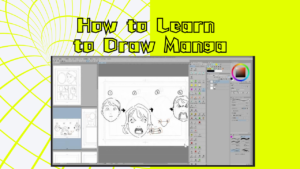
For most professional manga artists in Japan, the standard software is CLIP STUDIO PAINT.
From beginners to bestselling manga creators, CLIP STUDIO PAINT has become the industry standard because it was designed specifically for creating manga and comics—not just digital illustrations. While individual artists have their own preferences, CLIP STUDIO PAINT is one of the most widely used tools in the Japanese manga industry. (clipstudio.net)
At MANGA DOJO Online, our instructors also use CLIP STUDIO PAINT in their professional workflow.
Why Japanese Manga Artists Love CLIP STUDIO PAINT
Unlike Photoshop or Procreate, CLIP STUDIO PAINT was built specifically for manga production.
Here are some of its biggest advantages.
1. Screentones in Seconds
Traditional manga uses screentones to create shadows, textures, and atmosphere.
In CLIP STUDIO PAINT you can:
- Apply screentones instantly
- Adjust dot size
- Change density
- Create gradients
- Convert gray values into professional screentones
This saves hours compared to applying tones manually.
2. Comic Panel Tools
Creating comic pages is incredibly easy.
You can quickly create:
- Comic panels
- Borders
- Gutters
- Panel splitting
Many professional manga artists use these tools every day.
3. Professional Speech Balloons
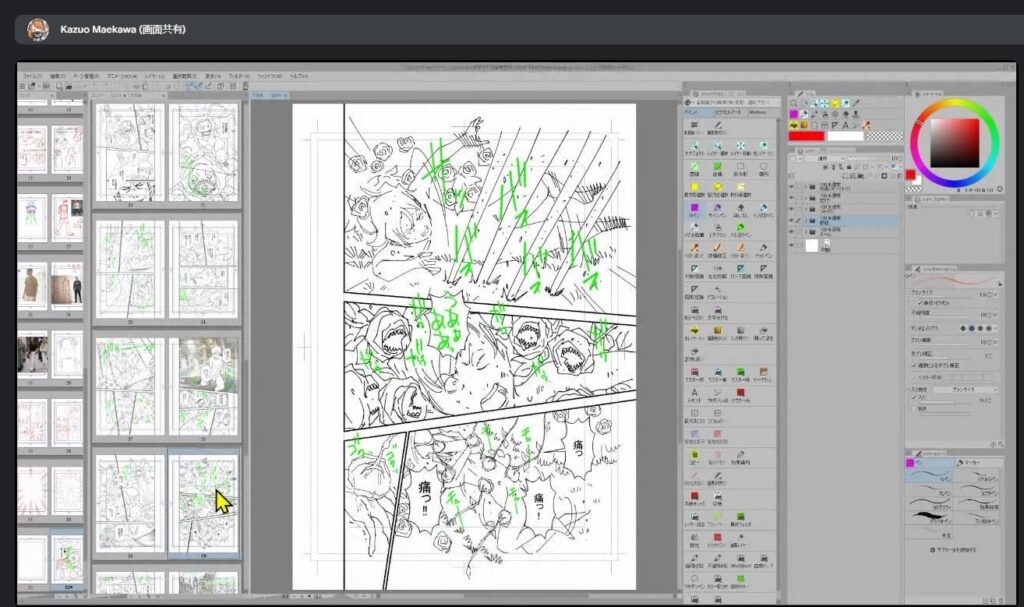
Instead of drawing speech bubbles manually,
you simply click and drag.
The software automatically creates:
- Speech balloons
- Thought balloons
- Shouting balloons
- Tail adjustments
This keeps pages clean and professional.
4. Perspective Rulers
Backgrounds are one of the hardest parts of manga.
CLIP STUDIO PAINT includes built-in:
- One-point perspective
- Two-point perspective
- Three-point perspective
- Circular rulers
- Symmetry rulers
These make drawing buildings and city scenes much easier.
5. 3D Pose Models
Don’t know how to draw a difficult pose?
Simply drag a 3D mannequin onto the canvas.
You can rotate it into any position and use it as a reference.
Professional manga artists use this feature to speed up production while maintaining accurate anatomy.
6. Thousands of Free Brushes and Materials
One of CLIP STUDIO PAINT’s biggest strengths is CLIP STUDIO ASSETS, where users can download brushes, textures, screentones, 3D models, and other resources created by the community.
You can find:
- Hair brushes
- Cloud brushes
- Tree brushes
- Clothing textures
- Manga effects
- Speed lines
- Background materials
Many are free, helping artists work faster without sacrificing quality.
7. Excellent Pen Stabilization
One of the biggest challenges in digital drawing is drawing smooth lines.
CLIP STUDIO PAINT has one of the best stabilization systems available.
Even beginners can create clean, professional-looking line art.
PRO vs EX: Which Version Should You Buy?
There are two main editions of CLIP STUDIO PAINT.
CLIP STUDIO PAINT PRO
PRO is ideal if you mainly create:
- Character illustrations
- One-shot manga
- Practice pages
- Fan art
For most beginners and hobbyists, PRO provides everything needed to start drawing manga.
CLIP STUDIO PAINT EX
EX includes everything in PRO plus powerful tools for professional comic production.
Some of the biggest advantages include:
- Multi-page manga project management
- Story manager
- Batch exporting
- Advanced comic management tools
- More advanced animation features
If you’re planning to create an entire manga volume or work professionally, EX can save a significant amount of time.
Pricing (2026)
As of 2026, the official perpetual license prices for Windows and macOS are: (clipstudio.net)
- PRO: ¥6,900 (one-time purchase)
- EX: ¥28,900 (one-time purchase)
Subscription plans are also available for users who want access to the latest updates across multiple devices. (clipstudio.net)
Which Version Do We Recommend?
Buy PRO if you…
- Are new to manga
- Draw as a hobby
- Want to improve your illustration skills
- Create short comics
Buy EX if you…
- Plan to publish manga
- Want to create long manga series
- Work professionally
- Need advanced page management tools
Learn CLIP STUDIO PAINT from Professional Japanese Manga Artists
At MANGA DOJO Online, many of our instructors use CLIP STUDIO PAINT in their professional work.
More importantly, they’ll teach you how professional manga artists actually create manga—from character design and storytelling to page composition and inking.
Whether you’re using PRO or EX, you’ll learn the techniques used by professional Japanese manga artists.
Learn Manga from Japan, Wherever You Are.
Join MANGA DOJO Online today.
Start Your Manga Journey
At MANGA DOJO Online, we offer live online classes taught by professional Japanese manga artists.
- Junior Manga Illustration (Ages 13 & Under)
- Manga Storytelling & Comic Creation (Ages 14+)
- Personalized Feedback Sessions
- 1-on-1 Mentoring
- Free Trial Classes Available
Whether your dream is to become a professional manga artist or simply create stories you love, we’d love to help you get started.



Comments